
Easy by design
Commands follow a clear and familiar modeling sequence. Visual selections, live previews, and focused dialogs help you understand each operation before applying it.
PAK 3D is an independent browser-based parametric CAD platform designed to make professional 3D modeling easier, more accessible, and fairly priced. We are currently developing it with a limited group of engineers, makers, and early users through our closed beta program.
Desktop Chrome or Edge recommended. Keyboard and mouse are required for modeling.
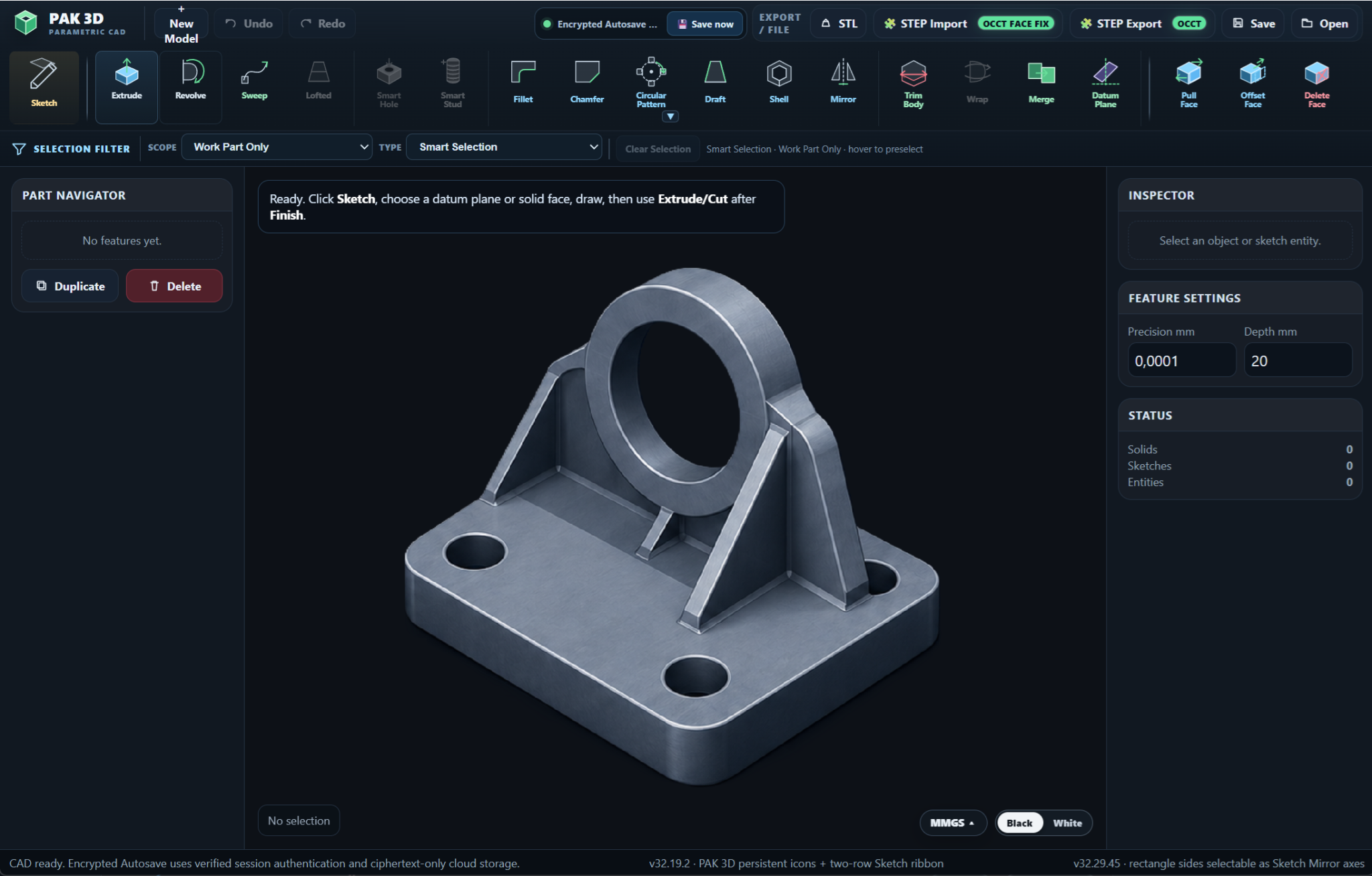
Professional CAD tools should help you turn ideas into geometry—not make you fight the software first.
Commands follow a clear and familiar modeling sequence. Visual selections, live previews, and focused dialogs help you understand each operation before applying it.
Create precise sketches, build parametric solid features, refine geometry, and keep the complete modeling history visible in the Part Navigator.
Open PAK 3D in a supported desktop browser and begin modeling without installing or maintaining a traditional desktop CAD package.
Professional design tools should be accessible to individual engineers, students, makers, and small teams—not only large companies.
PAK 3D combines familiar parametric modeling concepts with a focused browser workspace designed to keep tools understandable and accessible.
Choose a datum plane or solid face, create profiles, and define geometry with precise dimensions and editable sketch entities.
Create extrudes, revolves, sweeps, patterns, merges, and cuts with controlled values and clear previews before committing.
Apply fillets, chamfers, draft, shell, mirror, trim body, and face operations through guided feature workflows.
Use datum planes, selection filters, feature settings, and a visible Part Navigator to keep the model organized.
Bring in STEP geometry, export STEP solids through OCCT-backed tools, or create STL output for mesh-based workflows.
Encrypted recovery autosave, tracked support tickets, and diagnostic feedback help protect work and improve the beta experience.
PAK 3D is built around real solid-model workflows. Export your model for downstream CAD use with STEP, or create STL output for mesh-based manufacturing and review.
Choose a plane or solid face and begin drawing the profile.
Add precise dimensions while drawing or edit them afterward.
Turn profiles into parametric solids with clear previews and controlled values.
Add fillets, chamfers, cuts, datum planes, and other guided features.
Continue with STEP, STL, or a saved PAK 3D project.
Use a supported desktop browser without maintaining a separate CAD installation.
Model recovery content is encrypted client-side before it reaches cloud storage.
Move solid or mesh output into the next stage of your engineering workflow.
Professional CAD software has become increasingly expensive, difficult to access, and unnecessarily complicated to learn.
We believe powerful design tools should be available to more people.
Our mission is to build a capable CAD platform that is easier to learn, easier to access, and fairly priced—without removing the precision and structured workflows engineers depend on.
PAK 3D is being developed independently for engineers, makers, students, educators, and small teams. During our closed beta, we are working directly with a limited group of early users to improve the platform, refine its workflows, and decide which tools matter most.
The software should help you build your model—not become the hardest part of building it.
PAK 3D is currently being tested with a limited group of early users.
Closed beta members receive access to the current modeling tools and can directly influence future workflows, features, and development priorities through their feedback.
Request access to the PAK 3D closed beta and help shape professional CAD designed around easier workflows, accessible tools, and a fairer future.